eBooks and eJournal
Our library holds eBooks and eJournals, accessible via MIE search or by clicking the buttons below.


How to download EBSCO eBooks:
All eBooks can be read in the web browser. However, if you want to download EBSCO eBook and read it on your device, you will need to follow these steps:
-
Download the reader app Thorium Reader on your device.
Note: EBSCO eBooks currently cannot be downloaded to mobile phones. -
On the library catalogue, if your eBook has a Download option, click Download.
-
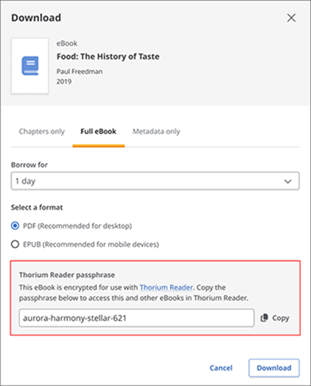
When you download the full text of an eBook, you will be given a unique passphrase.
-
This passphrase activates your eBook license.
-
It can be used on up to 6 devices at the same time.
-
Thorium Reader will remember all previously used passphrases on that device, so you won’t need to re‑enter them
-
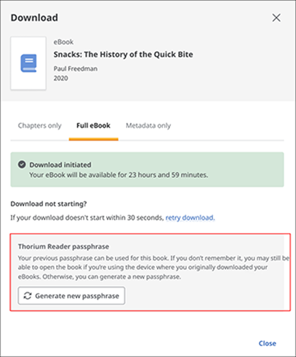
If you forget your passphrase, you can regenerate it in the full-text download workflow.
You will not need to reenter the regenerated passphrase on a device where you have entered it previously.